Windows Stuck on Welcome Screen? 7 Ways to Fix (Windows 11)
Welcome screen pe PC atka — loading circle ghoom raha? 7 ways to fix — startup apps, services, corrupt profile — step-by-step guide.
Windows Stuck on Welcome Screen? 7 Ways to Fix (Windows 11)
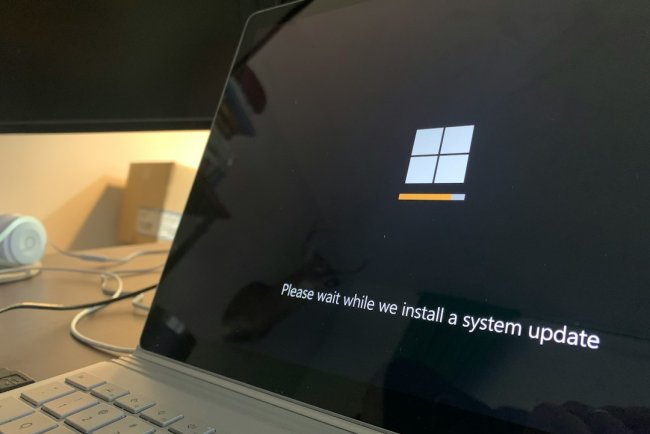
Password daala — "Welcome" + spinning circle — aur PC atka? Profile load fail ya startup service hang hai. 7 fixes order se.
Table of Contents
- Kyun Atka — Causes
- Fix 1 — Force Restart + Startup Repair
- Fix 2 — Safe Mode Boot
- Fix 3 — Startup Apps Disable
- Fix 4 — Problem Services Fix
- Fix 5 — Corrupt Profile Test (New Account)
- Fix 6 — sfc + DISM
- Fix 7 — Update Uninstall
- FAQ — 10 Questions
- Conclusion
Kyun Atka — Causes
- User profile corrupt
- Startup app/service hang
- Failed update
- System file corruption
Fix 1 — Force Restart + Startup Repair
Power hold → off → on ×3 → Automatic Repair → Troubleshoot → Startup Repair.
Fix 2 — Safe Mode Boot
Automatic Repair → Startup Settings → Safe Mode (F4). Boot ho gaya? = startup item culprit — Fix 3.
Fix 3 — Startup Apps Disable
Safe Mode mein:
Ctrl+Shift+Esc→ Startup tab → sab disableWin+R→msconfig→ Services → Hide Microsoft → baaki Disable- Normal restart — chala toh ek-ek enable karke culprit pakdo
Fix 4 — Problem Services Fix
services.msc mein ye Automatic hone chahiye:
- App Readiness
- User Profile Service
- Credential Manager
Right-click → Start, agar stopped.
Fix 5 — Corrupt Profile Test
net user testuser /add (CMD admin) → new account se login — fast? = purana profile corrupt → files copy → new profile use.
Fix 6 — sfc + DISM
sfc /scannow
DISM /Online /Cleanup-Image /RestoreHealth
Corrupt system files repair.
Fix 7 — Update Uninstall
Update ke baad se hai? WinRE → Uninstall Updates → latest quality update remove.
FAQ
Q1. Kabhi-kabhi hi atka?
Startup service race condition — clean boot se pakdo.
Q2. Safe mode fast hai, normal slow/stuck?
Startup app/service culprit — disable karke isolate.
Q3. Password sahi par andar nahi ja raha?
Profile corrupt — new account test (Fix 5).
Q4. Update ke baad se issue?
Update uninstall — WinRE se.
Q5. SSD hai phir bhi welcome slow?
Services delayed start — msconfig check.
Q6. Welcome pe 2-3 min wait normal?
Bade updates/roaming profile pe ho sakta — 5+ min = problem.
Q7. Microsoft account vs local — farak?
MS account sync slow karta — local account test.
Q8. Domain/Office PC pe?
Network/profile server issue — IT se roaming profile check.
Q9. App Readiness service ka role?
Ye first-login apps prepare karti — disabled = welcome hang.
Q10. Sab fail hua?
System Restore ya Reset PC (keep files).
Conclusion
Welcome stuck = Safe Mode → startup apps disable + profile test — 70% yahi solve. Profile corrupt ho toh new account fastest fix hai.
TAGS: windows stuck on welcome screen, welcome screen loading forever, login screen stuck, windows 11 welcome hang, profile load fail, startup apps disable, techn trainer
What's Your Reaction?