Settings App Not Opening — 8 Ways to Fix (Windows 11 Won't Open Settings)
Windows 11 Settings app khul nahi raha? Crash ho raha? 8 ways to fix — re-register, SFC, new account, alternate ways to open settings.
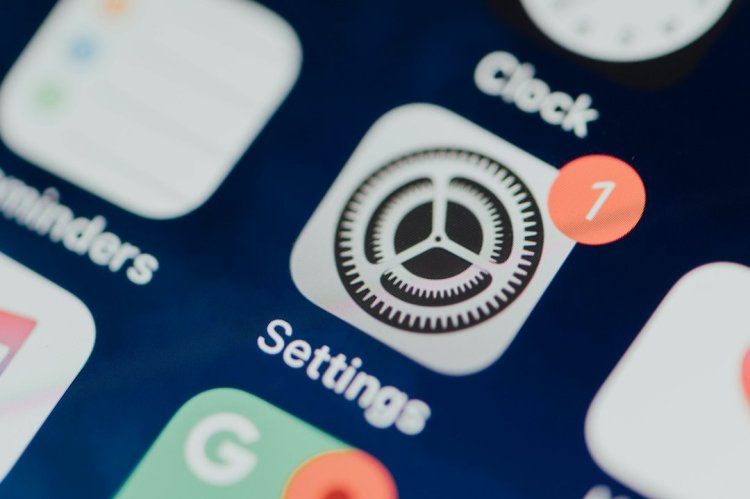
Settings App Not Opening — 8 Ways to Fix (Windows 11)
Settings pe click karo — kuch nahi hota ya instantly band ho jata? Settings app corrupt hai — re-register ya alternate tareeke se kholo, 8 fixes.
Table of Contents
- Quick Alternate Ways to Open
- Fix 1 — Re-register Settings (PowerShell)
- Fix 2 — SFC Scan
- Fix 3 — Windows Update Check
- Fix 4 — Explorer Restart
- Fix 5 — New Account
- Fix 6 — Reset This PC (Last Resort)
- Fix 7 — DISM
- Fix 8 — Malware Check
- FAQ
- Conclusion
Quick Alternate Ways to Open
Settings nahi khul raha? Ye tareeke kaam karte hain:
- Win + I — direct shortcut
- Start → right-click → Settings
- Win + R →
ms-settings:→ Enter - Specific page:
ms-settings:display,ms-settings:network,ms-settings:windowsupdate
Agar specific URI se khulta hai toh app intact hai — shortcut/link issue hai.
Fix 1 — Re-register Settings (PowerShell)
Admin PowerShell:
Get-AppxPackage -AllUsers *ImmersiveControlPanel* | Foreach {Add-AppxPackage -DisableDevelopmentMode -Register "$($_.InstallLocation)\AppXManifest.xml"}
Enter → restart — Settings app re-register.
Fix 2 — SFC Scan
sfc /scannow
Corrupt system files repair — Settings ke dependencies fix.
Fix 3 — Windows Update Check
Pending update? — Win + R → ms-settings:windowsupdate → install all. Update bug ho sakta hai jo patch hua ho.
Fix 4 — Explorer Restart
Settings shell se linked hai — Task Manager → Windows Explorer → Restart.
Fix 5 — New Account
Profile corrupt? net user testuser 123 /add → naye account mein Settings test.
Fix 6 — Reset This PC (Last Resort)
Win + R → ms-settings:recovery → Reset this PC → Keep my files. Apps jayenge, files rahenge. Nuke option but guaranteed fix.
Fix 7 — DISM
DISM /Online /Cleanup-Image /RestoreHealth
Windows image repair — deeper than SFC.
Fix 8 — Malware Check
Virus Settings block karta hai (security disable karne ke liye) — full scan.
FAQ
Settings khulta hai but crash?
Re-register (Fix 1) — app itself corrupt.
Koi bhi ms-settings URI nahi khulta?
App missing — Fix 1 ya Reset.
Specific page crash?
Feature-specific bug — Windows update ya skip page.
Group Policy block?
gpedit.msc → User Config → Admin Templates → Control Panel → "Prohibit access" check — admin ne block kiya ho sakta hai.
Conclusion
Settings not opening = app corrupt — re-register command (Fix 1) 80% solve. Alternate URI shortcuts pehle try karo — specific pages kaam karte hain even when main app dead.
TAGS: settings not opening, settings app crash, windows 11 settings not working, ms-settings, settings app missing, control panel not opening, immersive control panel, techn trainer
What's Your Reaction?