PC Overheating? 7 Fixes for Hot CPU, Fan Noise & Shutdowns (2026)
PC overheating and shutting down while gaming? Fix CPU overheating — fan check, thermal paste, cleaning, and cooling solutions. Step-by-step guide.
PC Overheating? 7 Fixes for Hot CPU, Fan Noise & Shutdowns (2026)
PC getting hot, fans screaming, or shutting down mid-game? Overheating isn't just annoying — it's slowly killing your CPU and GPU, and random shutdowns are your PC's emergency self-protection.
This guide covers how to check temperatures, the free 2-minute fixes, and when you actually need thermal paste or better cooling.
Table of Contents
- Is Your PC Actually Overheating? Check First
- Fix 1: Clean the Dust (Biggest Culprit)
- Fix 2: Check Fan Speeds & Placement
- Fix 3: Airflow & Position Fixes
- Fix 4: Close CPU-Hogging Apps
- Fix 5: Repaste the CPU (Thermal Paste)
- Fix 6: Laptop-Specific Fixes
- Fix 7: Upgrade Cooling
- Temperature Limits — What's Safe
- Frequently Asked Questions
- Conclusion
Is Your PC Actually Overheating? Check First
Install HWMonitor, Core Temp, or HWiNFO (all free) — or check in Task Manager for CPU usage spikes.
| Temp | Status |
|---|---|
| Under 60°C | Normal ✅ |
| 60–75°C | Warm — under load it's fine |
| 75–90°C | Hot — needs attention ⚠️ |
| 90°C+ | Danger — throttling/shutdowns ❌ |
Hindi: Pehle temperature check karo — Core Temp app free hai. 80°C+ matlab fan ya dust ka problem hai.
Fix 1: Clean the Dust (Biggest Culprit)
Dust blocks airflow like a blanket:
- Power off, unplug
- Open the cabinet (desktop) or bottom panel (laptop)
- Blow dust off fans/heatsinks with compressed air or a blower — hold fans still while blowing
- Clean intake/exhaust vents
70% of overheating cases are just dust.
Fix 2: Check Fan Speeds & Placement
- All fans spinning? Look inside while powered on
- Dead fan → replace (₹300-800, cheap fix)
- Fan screaming at idle → clogged heatsink or dying bearing
- BIOS/UEFI can show fan RPM (check "Monitor" section)
Fix 3: Airflow & Position Fixes
- Don't block vents — PC needs 6+ inches clearance
- Keep desktop off carpet (chokes bottom intakes)
- Remove side panel temporarily to test — if temps drop, it's airflow
- Laptop: use on hard flat surfaces, never bed/sofa/pillow
Fix 4: Close CPU-Hogging Apps
- Ctrl + Shift + Esc → Task Manager
- Sort by CPU — see what's eating 50-100%
- End unnecessary tasks — browsers with 40 tabs, miners, stuck processes
- Check startup apps too — less background load = cooler PC
Fix 5: Repaste the CPU (Thermal Paste)
Thermal paste between CPU and heatsink dries out after 3-5 years:
- Remove cooler, clean old paste with isopropyl alcohol
- Apply pea-sized dot of new paste (₹200-500)
- Reseat cooler evenly
- Temps drop 10-20°C instantly on old PCs
Fix 6: Laptop-Specific Fixes
- Cooling pad (₹500-1,500) — helps but only 3-8°C
- Elevate rear for airflow (even a book works)
- Limit CPU max to 99% in Power Options → Processor power management (kills turbo boost, big temp drop)
- Undervolting (advanced) — safe temp cuts on gaming laptops
Fix 7: Upgrade Cooling
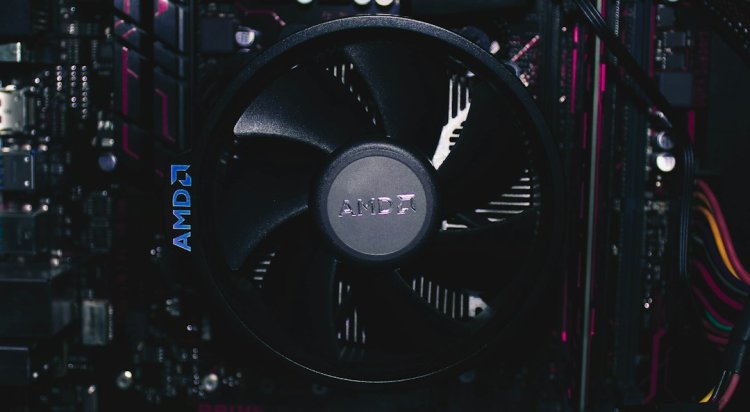
- Stock CPU cooler → tower air cooler (₹2,000-4,000) — huge improvement
- Add case fans — front intake + rear exhaust
- AIO liquid coolers — overkill for most, great for hot gaming rigs
Temperature Limits — What's Safe
- Idle: 35-55°C is normal
- Gaming/load: 70-85°C is okay for most CPUs
- Consistently 90°C+: PC is throttling (slowing itself) — fix now
- Shutdowns at ~95-100°C: thermal protection kicking in — serious
Frequently Asked Questions
Why is my PC overheating and shutting down?
Thermal protection — CPU hits ~95-100°C and the PC cuts power to save itself. Clean dust, check fans, repaste the CPU.
How do I check CPU temperature?
Free tools: Core Temp, HWMonitor, HWiNFO. Some BIOS/UEFI screens show it too.
Is 80°C hot for a CPU?
Under gaming load, it's acceptable. At idle it's too hot — check dust and fan speeds.
Do cooling pads actually work for laptops?
They help 3-8°C — useful but not magic. Cleaning vents + elevating the laptop usually helps more.
How often should I apply thermal paste?
Every 3-5 years, or when temps climb without another cause. Old PCs benefit most.
PC overheat hone pe kya kare?
Pehle dust saaf karo fans pe → temperature check karo Core Temp se → thermal paste change karo agar 3+ saal purana PC hai.
Conclusion
Overheating fixes in order: check temps → clean dust → fix airflow → repaste CPU. Most PCs just need a cleaning; only upgrade cooling if temps stay 90°C+ after that.
Video Tutorial:
- PC Keeps Restarting — Auto Restart Fix
- Fan Noise Fix — Quiet Your PC
- HDD vs SSD — Upgrade Guide
TAGS: pc overheating, pc overheating fix, pc overheating and shutting down, pc overheating when playing games, laptop overheating fix, laptop overheating fix windows 11, cpu fan check, cpu overheating, techn trainer
What's Your Reaction?