Automatic Repair Loop? 7 Ways to Escape It (Windows 11)
PC baar-baar Preparing Automatic Repair pe atka? 7 ways to fix — bootrec, safe mode, chkdsk, system restore — escape the loop step-by-step.
Automatic Repair Loop? 7 Ways to Escape It (Windows 11)
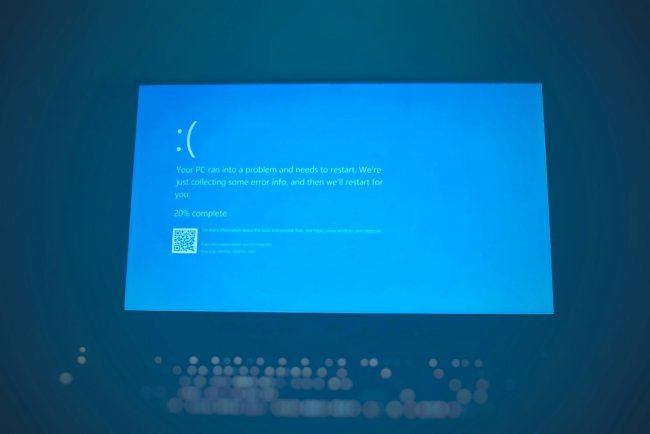
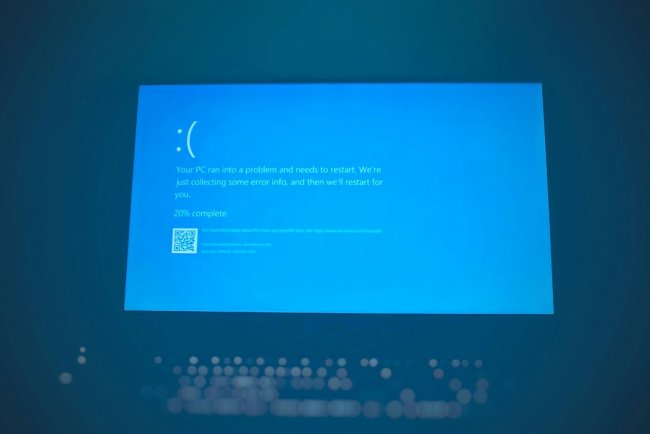
PC "Preparing Automatic Repair" → blue screen → restart → phir wahi? Loop toot hi nahi raha? Ye boot files corrupt ya failed update hai — 7 fixes order se, 80% pehle 3 se solve.
Table of Contents
- Loop Kyun Hota Hai
- Fix 1 — Startup Repair
- Fix 2 — bootrec Commands (Sabse Effective)
- Fix 3 — chkdsk + sfc
- Fix 4 — Safe Mode Troubleshoot
- Fix 5 — System Restore
- Fix 6 — Update Uninstall
- Fix 7 — Reset This PC (Last Resort)
- FAQ — 10 Questions
- Conclusion
Loop Kyun Hota Hai
- Boot Configuration Data (BCD) corrupt
- Failed Windows update
- Disk errors / bad sectors
- Driver conflict ya power cut mid-boot
Fix 1 — Startup Repair
Loop mein hi ye option dikhta hai:
- Blue screen pe Advanced Options click
- Troubleshoot → Advanced Options → Startup Repair
- 10-30 min — boot files scan + fix
Fix 2 — bootrec Commands (Sabse Effective)
Advanced Options → Command Prompt:
bootrec /fixmbr
bootrec /fixboot
bootrec /scanos
bootrec /rebuildbcd
/fixmbr= master boot record repair/fixboot= boot sector rewrite/rebuildbcd= boot menu recreate — "Y" press karo jab puche
Restart — 60% cases yahi fix.
Fix 3 — chkdsk + sfc
Same CMD mein:
chkdsk C: /f /r
sfc /scannow /offbootdir=C:\ /offwindir=C:\Windows
Disk + system files dono check.
Fix 4 — Safe Mode Troubleshoot
- Advanced Options → Startup Settings → Safe Mode (F4)
- Boot ho gaya? → recent driver/software uninstall
msconfig→ clean boot test
Fix 5 — System Restore
Advanced Options → System Restore → update/problem se pehle ka restore point → files safe rehte hain, system rollback.
Fix 6 — Update Uninstall
Advanced Options → Uninstall Updates → "latest quality update" pehle → nahi chala toh "latest feature update".
Fix 7 — Reset This PC (Last Resort)
Troubleshoot → Reset this PC → "Keep my files" — Windows fresh install, personal files safe, apps jayengi. Guaranteed escape but last option.
FAQ
Q1. Loop kabhi escape nahi hota kya?
Hota hai — bootrec commands 60% solve karte hain, baaki Safe Mode + restore.
Q2. bootrec /fixboot "Access denied" aaye?
Admin CMD mein ho ya FAT32 EFI partition issue — /rebuildbcd pehle chalao.
Q3. Files bachenge Reset mein?
"Keep my files" = documents safe, sirf apps/settings reset.
Q4. Har update ke baad loop?
Disk health check — CrystalDiskInfo se "Caution/Bad" dikhe toh drive dying.
Q5. SSD pe bhi ho sakta hai?
Haan — boot corruption hardware-independent hai.
Q6. Recovery USB kaise banau?
Doosre PC pe Media Creation Tool → USB → boot → Repair your computer.
Q7. Loop mein data kaise backup karu?
Recovery USB ya Linux live USB se files copy karo pehle.
Q8. "Diagnosing your PC" pe atka?
Same loop — power drain karo (unplug, power 30 sec hold) phir boot.
Q9. RAM ki wajah se?
Possible — memory test chalao mdsched safe mode mein.
Q10. Reinstall ke bina kaam hoga?
90% haan — Fix 2 + Fix 3 se. Reset last option hi hai.
Conclusion
Automatic Repair loop = bootrec /fixmbr + /fixboot + /rebuildbcd sabse effective (60%). Phir chkdsk, safe mode, restore. Reset "Keep files" guaranteed escape — data safe rehta hai.
TAGS: automatic repair loop, preparing automatic repair stuck, windows 11 boot loop, bootrec fixboot rebuildbcd, startup repair failed, diagnosing your pc stuck, techn trainer
What's Your Reaction?