PC Restarts Automatically? 8 Fixes for Random Reboots (Windows 11)
PC restarts automatically while gaming or randomly? Computer keeps restarting fix — overheating, PSU, drivers, auto-restart setting. Windows 11/10 guide.
PC Restarts Automatically? 8 Fixes for Random Reboots (Windows 11)
PC rebooting by itself — mid-game, randomly, or right after shutdown? Random restarts have specific causes, and the fix depends on *when* it happens: during gaming (hardware) vs randomly on the desktop (software/power).
This guide walks through every cause in order of likelihood, so you fix the actual problem — not guess.
Table of Contents
- First — Disable Auto-Restart to See the Real Error
- Cause 1: Overheating (Most Common)
- Cause 2: Failing PSU / Loose Power
- Cause 3: Bad Drivers or Windows Update
- Cause 4: RAM Problems
- Cause 5: Malware
- Cause 6: Scheduled Tasks / Updates Restarting
- Cause 7: Hardware Failure Signs
- Frequently Asked Questions
- Conclusion
First — Disable Auto-Restart to See the Real Error
Windows hides crash details by auto-rebooting. Turn that off to catch the error:
- Win + R →
sysdm.cpl→ Advanced tab - Under "Startup and Recovery" → Settings
- Uncheck "Automatically restart" → OK
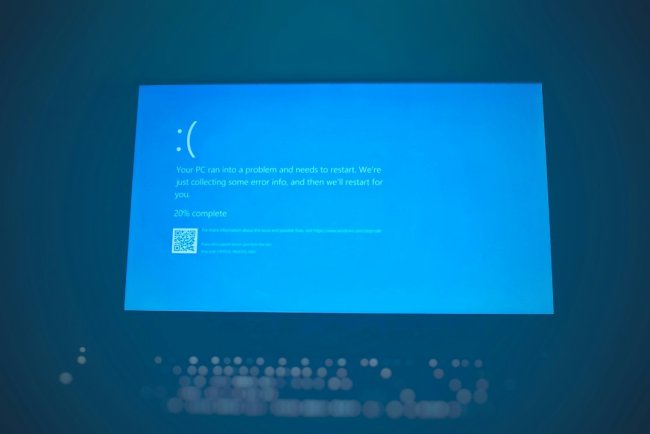
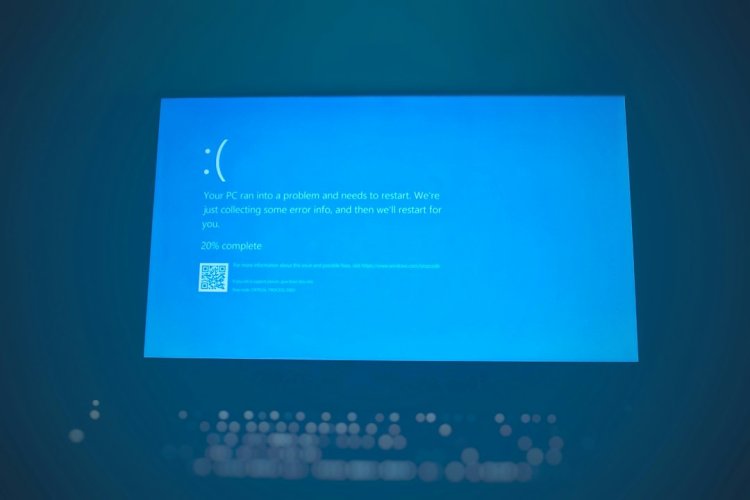
Next crash shows a blue screen error code instead of silent reboot — that code tells you the cause.
Hindi: Pehle "Automatically restart" off karo — agli baar PC blue screen pe error code dikhayega, jo exact cause bata dega.
Cause 1: Overheating (Most Common) ????️
If it restarts during gaming or heavy work:
- Check temps with Core Temp/HWMonitor — 90°C+ = thermal shutdown
- Clean dust from fans/heatsinks
- Reapply thermal paste on old PCs
- See our full overheating guide
Cause 2: Failing PSU / Loose Power
Restarting randomly, no pattern:
- Check power cable is firmly seated (wall + PC both ends)
- Old/weak PSU degrades — random restarts under load are a classic sign
- If restarts coincide with fans/other devices on same socket — possible voltage dips
- Test with a different outlet or borrow a PSU
Cause 3: Bad Drivers or Windows Update
Restarting after an update or new driver:
- Boot into Safe Mode → uninstall the recent driver/update
- GPU drivers are the usual suspect — reinstall clean with DDU
- Windows: Settings → Windows Update → Update history → Uninstall updates
Cause 4: RAM Problems
Crashes + restarts + occasional freezes:
- Win + R →
mdsched.exe→ Restart now and check - If errors found → reseat RAM sticks (remove, clean contacts, reinsert)
- Test one stick at a time to find the bad one
- XMP/EXPO overclock profiles can also cause instability — disable in BIOS to test
Cause 5: Malware
Some malware triggers reboots:
- Full scan with Windows Defender + Malwarebytes (free)
- Check Task Manager for suspicious CPU miners — they overheat the PC too
Cause 6: Scheduled Tasks / Updates Restarting
Restarts at the same time regularly:
- Windows Update scheduled restarts — Settings → Windows Update → set Active Hours
- Task Scheduler → check for tasks with "reboot" triggers
shutdown /acancels a pending timed shutdown
Cause 7: Hardware Failure Signs
- Restarts even in BIOS → hardware issue (PSU/motherboard/RAM)
- Burning smell or bulging capacitors → stop using, get it checked
- Restarts only when moved/bumped → loose connection or failing component
Frequently Asked Questions
Why does my PC restart automatically while playing games?
Almost always overheating or an overloaded PSU. Check CPU/GPU temps first — 90°C+ causes thermal shutdown-reboots.
Computer keeps restarting on its own — where do I start?
Disable "Automatically restart" (sysdm.cpl) to reveal the blue screen error, check temps, then test RAM with mdsched.exe — in that order.
PC restarts automatically after shutdown — why?
Fast Startup bug or wake timers. Disable Fast Startup (Power Options → "Choose what power buttons do") and check wake timers in power settings.
Can a bad PSU cause random restarts?
Yes — a degrading PSU delivering unstable power is a top cause of no-pattern restarts, especially under load.
Why does my PC keep restarting and updating?
Windows Update's scheduled restarts. Set Active Hours and check "Restart this device as soon as possible" isn't enabled in Update settings.
PC baar baar restart ho raha hai kya kare?
Pehle auto-restart setting off karo error dekhne ke liye → temperature check karo → RAM test (mdsched) → driver rollback — is order mein.
Conclusion
Random restarts = a symptom, not the problem. Disable auto-restart → catch the error code → check temps → test RAM → check PSU — this order finds the cause fastest.
Video Tutorial:
- PC Overheating — 7 Fixes
- Blue Screen Error Windows 11 — Fix Guide
- App Not Opening — Kill Stuck Process
TAGS: pc restarts automatically, pc restarts automatically while playing games, computer keeps restarting, computer keeps restarting randomly, pc restarts automatically windows 11, computer keeps restarting on its own, pc random restart fix, techn trainer
What's Your Reaction?