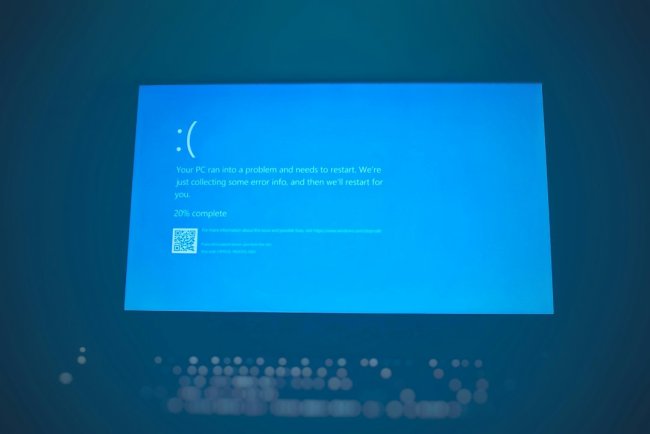
"This PC Can't Run Windows 11"? 5 Real Workarounds (2026)
Windows 11 says "This PC can't run Windows 11"? 5 real workarounds — TPM, Secure Boot, registry bypass, Rufus — install anyway.
"This PC Can't Run Windows 11"? 5 Real Workarounds (2026)
PC Health Check says your computer can't run Windows 11 — but is that actually true? Usually it's just TPM or Secure Boot turned off. Here are 5 ways to get past the block.
Table of Contents
- What the Check Actually Wants
- Fix 1 — Enable TPM 2.0 + Secure Boot
- Fix 2 — Registry Bypass (Official-ish)
- Fix 3 — Rufus Bootable USB (Bypass Checks)
- Fix 4 — In-Place Upgrade via ISO
- Fix 5 — Windows 11 on Unsupported (Warning)
- FAQ — 10 Questions
- Conclusion
What the Check Actually Wants
Windows 11 needs: TPM 2.0, Secure Boot, 8th-gen Intel / Ryzen 2000+ CPU, 4GB RAM, 64GB storage. Most "can't run" errors are just disabled TPM/Secure Boot — not missing hardware.
Fix 1 — Enable TPM 2.0 + Secure Boot
Most common fix:
- BIOS (Del/F2) → enable Intel PTT or AMD fTPM
- Secure Boot → Enabled (usually under Boot/Security tab)
- Re-run PC Health Check — often passes now
Fix 2 — Registry Bypass (Official-ish)
Microsoft's own documented workaround:
regedit→HKEY_LOCAL_MACHINE\SYSTEM\Setup\MoSetup- New DWORD AllowUpgradesWithUnsupportedTPMorCPU =
1 - Restart → run Windows 11 setup from ISO — checks relaxed (still needs TPM 1.2 minimum)
Fix 3 — Rufus Bootable USB (Full Bypass)
- Download Windows 11 ISO + Rufus (free)
- Create bootable USB → Rufus asks: check "Remove requirement for 4GB+ RAM, Secure Boot and TPM 2.0"
- Boot from USB → clean install, no checks
Fix 4 — In-Place Upgrade via ISO
- Mount Windows 11 ISO (right-click → Mount)
- Run
setup.exe— with registry bypass applied, upgrade proceeds keeping files/apps - If setup still blocks:
setup.exe /product servertrick sometimes helps
Fix 5 — Windows 11 on Unsupported (Warning)
On truly old CPUs (pre-2012): install works via Rufus but expect:
- No feature updates guaranteed
- Watermark "system requirements not met" (removable via registry)
- Possible future blocks — keep a Windows 10 fallback plan
FAQ
Q1. Is bypassing requirements legal/safe?
Yes — Microsoft documents the registry method. Risk: no guaranteed updates.
Q2. Will I still get updates?
Security updates: usually yes. Feature updates: not guaranteed on unsupported hardware.
Q3. My CPU is too old — options?
Rufus install works on most post-2009 CPUs, but very old ones may have stability issues.
Q4. Does bypass disable BitLocker?
No — BitLocker works fine on TPM 1.2 systems.
Q5. Will Windows 11 run slower on old CPU?
Marginally — Win11 runs well on 4th-gen+ Intel with 8GB+ RAM.
Q6. Watermark after install — removable?
Yes: regedit → SV2 key or Winaero tool removes it.
Q7. Do I lose files with Rufus install?
Clean install = yes, files erased. Backup first or use in-place upgrade.
Q8. Is Windows 10 still supported?
Until October 2025 officially — extended updates via ESU for consumers.
Q9. Health Check says incompatible but I have TPM?
Check it's 2.0 (tpm.msc) — TPM 1.2 doesn't pass.
Q10. Should I just buy new PC?
If pre-2015 and daily driver — yes. Secondary machine — bypass and enjoy.
Conclusion
"This PC can't run Windows 11" usually just means TPM/Secure Boot off — enable them first. Truly unsupported? Rufus USB or the registry bypass gets Windows 11 running — just know the update caveats.
TAGS: this pc c
What's Your Reaction?