Single vs Dual Channel RAM: Does 2 Sticks Really Boost Performance?
Single vs dual channel RAM — how much FPS/speed you actually gain with 2 sticks, which slots to use, and is it worth it for gaming? 2026 guide.
Single vs Dual Channel RAM: Does 2 Sticks Really Boost Performance?
Two 8GB sticks vs one 16GB stick — same total RAM, but not the same performance. Dual channel mode can boost FPS 10-30% in some games, and many people leave this free performance on the table.
This guide explains what dual channel actually does, real benchmarks, which slots to use, and when it matters most.
Table of Contents
- What Is Dual Channel?
- Single vs Dual Channel — Real Performance
- Which Slots to Use (Most People Get This Wrong)
- How to Check If You're in Dual Channel
- Mixing Different RAM Sticks — Rules
- When It Matters Most
- Frequently Asked Questions
- Conclusion
What Is Dual Channel?
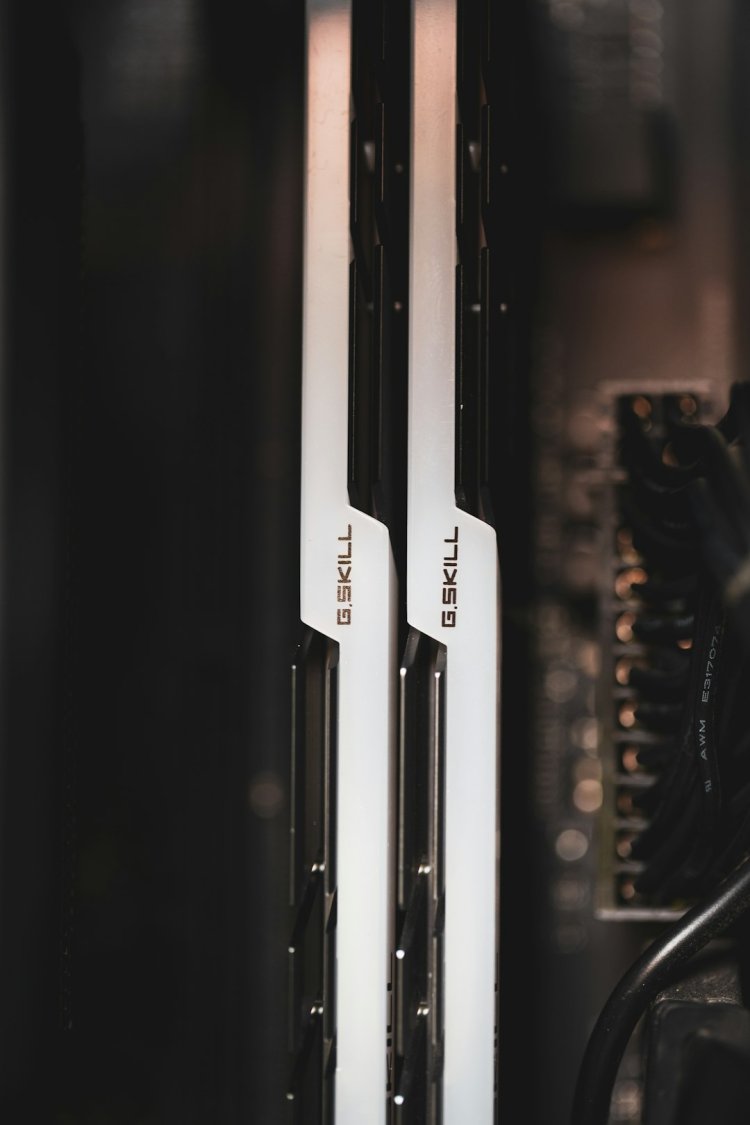
Your CPU's memory controller has two channels to RAM. One stick = one channel (half the bandwidth). Two sticks in the right slots = both channels active = double the memory bandwidth — same speed rating, twice the road width.
- 1×16GB → single channel
- 2×8GB → dual channel ✅
Hindi: 2 sticks RAM ko 2x bandwidth dete hain — CPU ko data double speed se milta hai. 1 badi stick vs 2 chhoti mein, 2 chhoti hamesha behtar.
Single vs Dual Channel — Real Performance
| Scenario | FPS/Speed Gain |
|---|---|
| Integrated graphics (no GPU) | 20-40%+ — huge, iGPU uses system RAM |
| CPU-bound esports games | 10-25% |
| AAA games (GPU-bound) | 3-10% |
| Everyday tasks (browsing/office) | Barely noticeable |
| Video editing/rendering | 5-15% |
No dedicated GPU? Dual channel is basically mandatory — the integrated GPU lives on RAM bandwidth.
Which Slots to Use (Most People Get This Wrong)
Motherboard has 4 slots — they alternate channels:
```
CPU → [A1][A2][B1][B2] (typical layout)
```
- 2 sticks → use A2 + B2 (usually slots 2 and 4 from CPU) — check your board manual; the correct slots are often color-coded or marked
- Same-color or alternate slots = dual channel
- Sticks side-by-side (A1+A2) = still single channel ❌
How to Check If You're in Dual Channel
- Open Task Manager → Performance → Memory — some show channels used
- Or free tool CPU-Z → Memory tab → "Channel #" field says Single or Dual
msinfo32won't show it — use CPU-Z
Mixing Different RAM Sticks — Rules
- ✅ Different capacities can work (8+16) — often runs "flex mode": matched portion dual, rest single
- ✅ Different brands usually work if specs match
- ⚠️ Different speeds → everything runs at the *slower* stick's speed
- ⚠️ Different timings → system picks relaxed ones
- Best practice: identical kit (same brand/size/speed) for zero headaches
When It Matters Most
- ✅ Laptop with integrated graphics — biggest single upgrade
- ✅ Budget gaming builds — free FPS
- ✅ Always buy 2×8 over 1×16 for new builds (price is nearly same)
- ⚠️ If future upgrade planned — 1×16 leaves a slot free; choose based on your plan
Frequently Asked Questions
Is dual channel RAM worth it?
For integrated graphics and esports gaming — absolutely (20-40% FPS). With a strong dedicated GPU the gain shrinks to a few percent but still free.
Is 2x8GB better than 1x16GB?
Yes for performance — dual channel doubles memory bandwidth. Only pick 1×16 if you plan to add another stick soon.
Which slots for dual channel RAM?
Usually slots 2 and 4 from the CPU (A2+B2) — the alternate slots, often color-coded. Check the motherboard manual.
How do I know if my RAM is running in dual channel?
CPU-Z → Memory tab → "Channel #" shows Single or Dual. Task Manager may also show "Channels used".
Can I use 8GB and 16GB RAM together?
Usually yes — runs "flex mode": 16GB (8+8 matched) in dual channel, remaining 8GB in single channel. Works fine.
Single channel vs dual channel RAM mein kya difference hai?
Dual channel mein memory bandwidth double ho jati hai — gaming/FPS 10-30% better, especially integrated graphics ke saath.
Conclusion
Two smaller sticks beat one big stick — same money, free bandwidth. Check CPU-Z, put sticks in A2+B2, and enjoy the FPS you already paid for.
Video Tutorial:
- DDR4 vs DDR5 — Which to Buy
- 8GB vs 16GB RAM — How Much Do You Need
- Best Gaming PC Under ₹50,000
TAGS: dual channel ram, single vs dual channel ram, dual channel ram vs single channel ram, dual channel ram meaning, dual channel ram gaming, 2x8gb vs 1x16gb, ram slots which to use, ram upgrade guide, techn trainer
What's Your Reaction?